Businesses in ChatGPT: How to Claim Your Business Profile and Get Found by AI

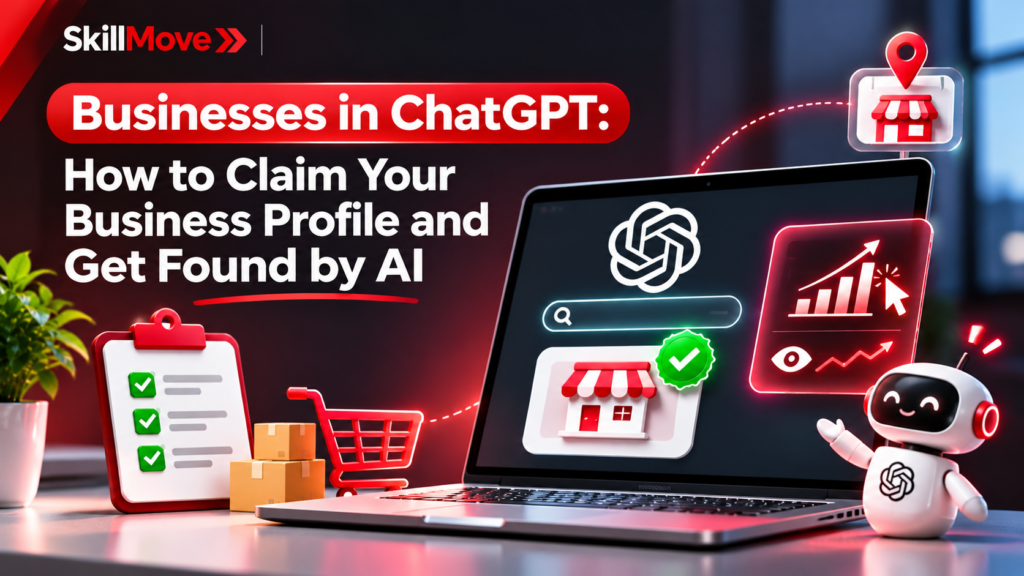
Businesses in ChatGPT is OpenAI’s new beta feature, announced on November 10, 2026. It lets verified companies claim a profile in ChatGPT, update prices and stock in the ChatGPT Business Hub, and track mentions and website clicks. Eligible US e-commerce and online-service firms can also launch Business Agents that answer customer questions inside ChatGPT.
Table of Contents
Introduction
Meera runs a small online candle store. Last week, a customer told her, “I found your shop on ChatGPT.” Meera smiled, and then she worried. What did ChatGPT say about her shop? Were the prices right? Was the candle still in stock? (Meera is an example character, not a real case.)
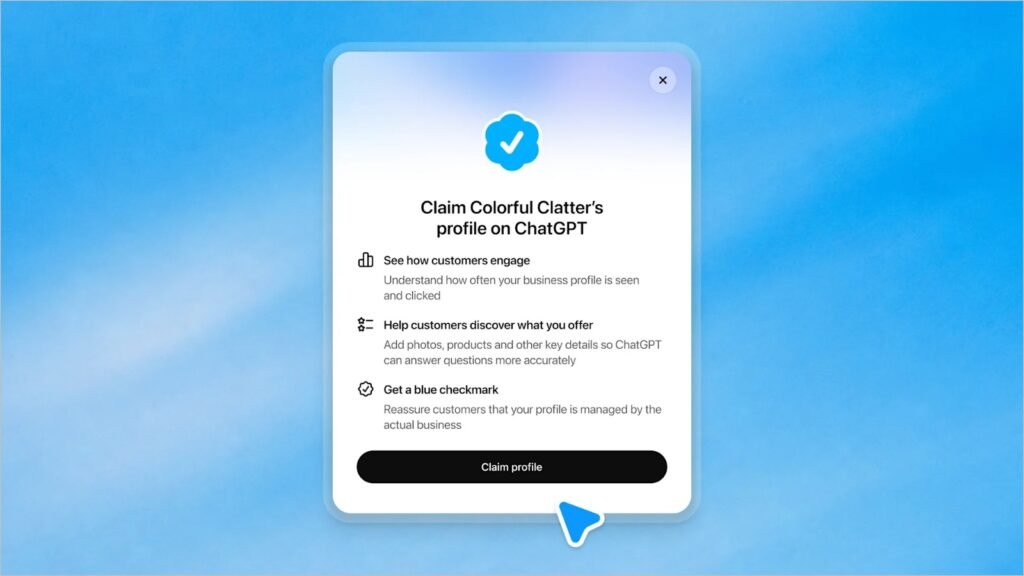
Until now, brands had very little control over this. That changes with Businesses in ChatGPT. OpenAI announced the beta on November 10, 2026, for the 1.2 billion people who use ChatGPT every week. With Businesses in ChatGPT, a company can claim its profile, fix its details and see how often ChatGPT mentions it.
In this guide, you will learn what Businesses in ChatGPT is, how the ChatGPT Business Hub works, how to claim your profile, what Business Agents do and where the feature is available.
What Is Businesses in ChatGPT?
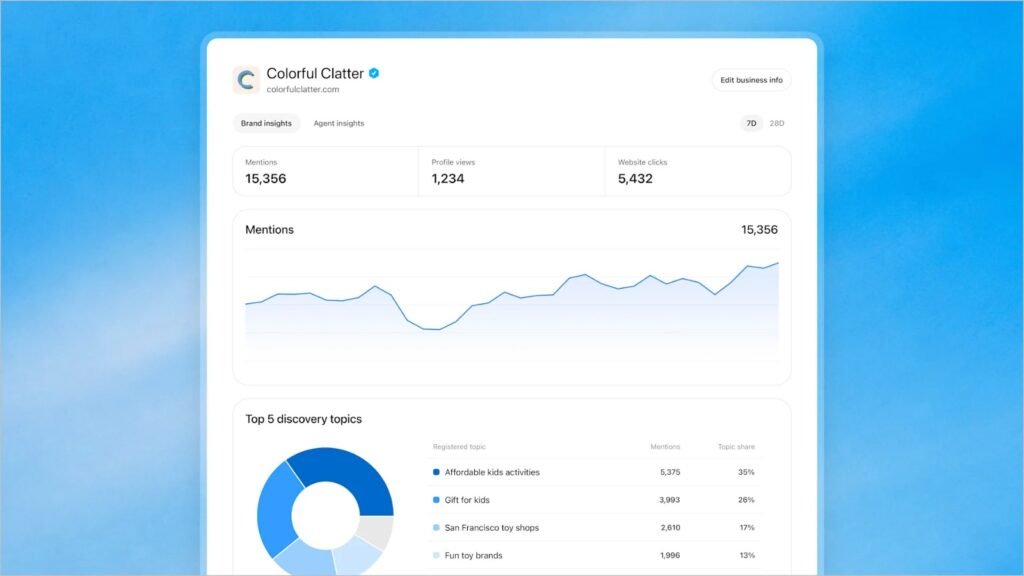
Businesses in ChatGPT is a beta program from OpenAI. It gives companies a verified place inside ChatGPT, so the AI can share correct details about them. A verified business gets a blue check, can edit its information, and can see summary data about how people find it. The program has three parts:
| Part | What It Does | Who Can Use It |
|---|---|---|
| Business Profile | Verified profile with a blue check. Update details, prices and stock. | Businesses in regions where ChatGPT is available |
| ChatGPT Business Hub | Dashboard to claim your profile and view mentions, clicks and topics. | Same as above |
| Business Agents | AI chat agent that answers questions about your products or services. | Eligible US e-commerce and online-service firms (for now) |
Why Businesses in ChatGPT Matters for AI Search Visibility
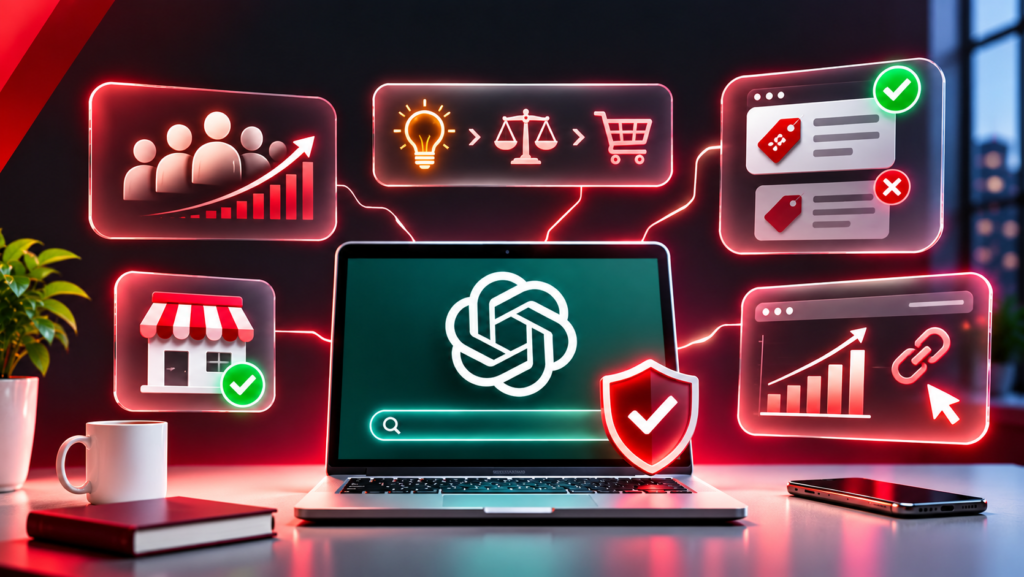
ChatGPT now has 1.2 billion weekly users, according to OpenAI. Many of them ask for ideas, compare options and decide what to buy. If ChatGPT shows old prices or wrong details for your brand, you lose trust and sales.
Businesses in ChatGPT helps you fix that. It is also a big step for generative engine optimization (GEO), which means becoming a source that AI tools can trust. Until now, many brands used third-party tools to guess their AI visibility. With Businesses in ChatGPT, OpenAI shows mentions and clicks directly.
How the ChatGPT Business Hub Works
The ChatGPT Business Hub is the control room for Businesses in ChatGPT. Once your company is verified, you can use it in the following ways:
| Hub Feature | What You Get |
|---|---|
| Business details | Edit key information about your company. |
| Product feeds | Add self-service feeds with pricing and availability. |
| Mentions | See how often ChatGPT mentions your business. |
| Website clicks | See how many people click through to your website. |
| Common topics | See themes from conversations where your business appears. |
The data is aggregated, and it appears only when conversation volume reaches certain thresholds. OpenAI says it does not share individual user chats with businesses.
How to Claim Your Business Profile in ChatGPT
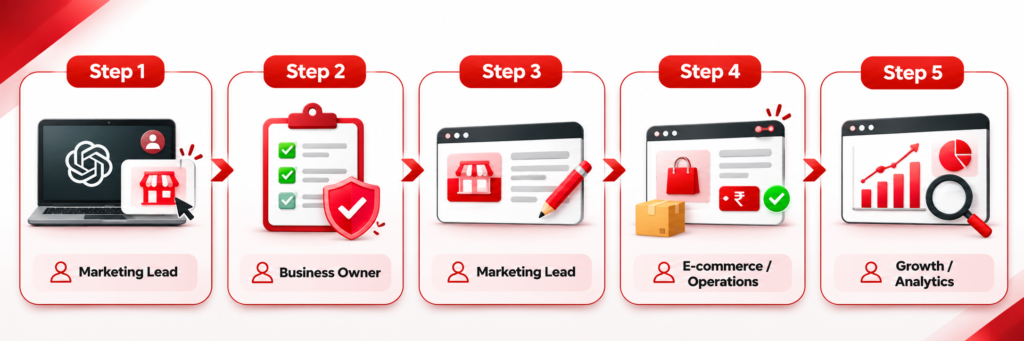
Let us go back to Meera, the candle seller. To use Businesses in ChatGPT, she follows five simple steps. The owner column shows who should handle each step in a team (this is our suggestion, not an OpenAI rule).
| Step | Action | Suggested Owner |
|---|---|---|
| 1 | Sign in to ChatGPT and open the Business Hub. | Marketing Lead |
| 2 | Complete the verification process. | Business Owner |
| 3 | Update your business details. | Marketing Lead |
| 4 | Add a product feed with price and availability. | E-commerce / Operations |
| 5 | Review mentions, clicks and topics every week. | Growth / Analytics |
The process is a little different for some groups. OpenAI Enterprise customers and advertisers can claim their business with help from their OpenAI representative. Shopify merchants can claim through the Business Hub or the Shopify admin, and eligible products may already appear in ChatGPT through Shopify’s Catalog.
ChatGPT Business Agents: Your AI Chat Assistant
A Business Agent is an AI agent that talks to customers for you. When a business appears in a ChatGPT answer, the user can open its profile and chat with its agent. The agent answers using the product details you provide. The chat is labelled and kept separate from ChatGPT’s own answers.
Picture a shopper asking Meera’s agent, “Does this candle come in a gift box?” The agent replies from her product details, and the shopper then goes to her website to buy. For now, buyers are sent to the brand’s own website. OpenAI is also building agent payments with Visa.
ChatGPT Ads and Sponsored Business Agents
Businesses in ChatGPT also connects to advertising. A business can sponsor its Business Agent as the landing spot for ChatGPT Ads. This builds on Sponsored Agents, which OpenAI began testing in September. OpenAI says that paying does not change how often ChatGPT recommends a business, so ads are an option, not a requirement.
Where Is Businesses in ChatGPT Available?
Businesses in ChatGPT is in beta, and access depends on the feature:
| Feature | Availability |
|---|---|
| Business profiles and Business Hub | Businesses located in regions where ChatGPT is available (for example, Australia) |
| Business Agents | Eligible e-commerce and online-service businesses in the US only, for now |
| Future plans | OpenAI plans to add more markets, more business categories and tools for complex organisations |
If your company is in India, open the Business Hub and check whether access is live for your account, because rollout details can change during a beta.
Rules Business Agents Must Follow
OpenAI has set guardrails for Business Agents. They must say they are AI, keep prices accurate and avoid pressure tactics. A purchase, or the sharing of personal data, needs the user’s clear approval. These rules help keep Businesses in ChatGPT useful and safe for shoppers.
Digital Marketing Checklist: Get Ready for Businesses in ChatGPT
These tips come from our digital marketing training experience. They are not OpenAI requirements, but they support strong AI search visibility.
| Task | Why It Matters | Suggested Owner |
|---|---|---|
| ☐ Keep name, address and phone the same everywhere | Matching facts build trust for AI and search engines | SEO Team |
| ☐ Publish clear product pages with price and stock | Clean data helps your product feed | E-commerce |
| ☐ Add schema markup to key pages | Helps machines read your content | SEO / Dev |
| ☐ Write short, direct answers to common questions | Easy to quote in AI answers | Content Team |
| ☐ Track Hub data monthly next to Google Analytics | See AI clicks beside other channels | Growth |
Conclusion
Back in our story, Meera no longer worries about what ChatGPT says about her shop. She claims her profile, keeps her prices fresh and checks her numbers each week. That is the promise of Businesses in ChatGPT: you stop guessing and start managing how AI presents your brand.
OpenAI calls this an early step, and more markets and features are coming. So claim your profile early, keep your data clean and watch the Hub numbers. For the full announcement, read OpenAI’s official pages linked below. Businesses in ChatGPT is still in beta, so always confirm the latest rules inside the Business Hub.
Here is the bigger lesson for your career. As Businesses in ChatGPT grows, companies will need people who understand Al search visibility, product data, analytics and Al-powered marketing tools, not only classic SEO and ads. If you want to build a career in this space, SkillMove’s Al Integrated Digital Marketing Program is a strong place to start. It helps you learn digital marketing together with Al, so you can work on skills like these, with placement support to help you take the next step. Explore the program at SkillMove and start building a career that is ready for Al search.
Official sources:
https://openai.com/business/businesses-in-chatgpt
https://openai.com/index/introducing-businesses-chatgpt
Frequently Asked Questions (10 FAQs)
Everything you need to know about OpenAI’s Businesses in ChatGPT beta, Business Hub, and AI Business Agents.
01 What is Businesses in ChatGPT?
Businesses in ChatGPT is an OpenAI beta feature that lets verified companies claim and manage their profile inside ChatGPT and see how often they are mentioned.
02 When did Businesses in ChatGPT launch?
OpenAI announced the Businesses in ChatGPT beta on November 10, 2026.
03 What is the ChatGPT Business Hub?
The ChatGPT Business Hub is the dashboard where you claim your profile, update details and product feeds, and view mentions, clicks and common topics.
04 How do I claim my business profile in ChatGPT?
Open the Business Hub in ChatGPT, complete verification, then update your details and add a product feed. Enterprise customers and advertisers can use their OpenAI representative.
05 What data can I see in Businesses in ChatGPT?
You can see aggregated numbers for mentions, website clicks and common topics. The data shows only when volume meets certain thresholds.
06 Will OpenAI share user chats with my business?
No. OpenAI says it does not share individual user conversations with businesses.
07 What are ChatGPT Business Agents?
They are AI agents that answer customer questions about your products or services inside ChatGPT, using the details you provide.
08 Who can use Business Agents?
For now, eligible e-commerce and online-service businesses in the US can launch Business Agents.
09 Does paying for ads change ChatGPT recommendations?
OpenAI says paying does not change how often ChatGPT recommends a business. Sponsoring a Business Agent is optional.
10 Is Businesses in ChatGPT available in India?
Reports say profiles and the Hub are open in regions where ChatGPT is available, while Business Agents are US-only for now. Check your Business Hub to confirm access.
Explore Core Technical Training Programs