
Generative AI in Data Analytics: Top Use Cases & Best Practices for Modern Businesses

Quick Summary: Generative AI in Data Analytics is changing how businesses read their own numbers. Instead of waiting days for a report, teams now ask a question in plain English and get an answer in seconds. This guide walks through the top use cases of Generative AI in Data Analytics from natural language queries to RAG-powered insights along with best practices any business, big or small, can start using right away.
📑 Table of Contents
- 01 Introduction
- 02 What is Generative AI in Data Analytics?
- 03 Why Businesses Are Adopting Generative AI in Data Analytics
- 04 Top Use Cases of Generative AI in Data Analytics
- 05 The Role of RAG in Generative AI Data Analytics
- 06 Benefits of Generative AI in Data Analytics
- 07 Best Practices for Adopting Generative AI in Data Analytics
- 08 Final Thoughts
- 09 FAQs
Introduction
Picture a small marketing team on a Monday morning. Someone asks, “How did last week’s campaign do?” A few years ago, that question meant waiting for the analyst to pull data, clean it up, build a chart, and email it over sometimes a whole day later. Today, that same person can simply type the question into a tool and get a clear answer, in plain words, within seconds. That shift is happening because of Generative AI in Data Analytics.
Every single day, businesses collect huge amounts of data from websites, apps, CRMs, social media, IoT devices, and customer chats. Having all this data is great, but it means very little if no one can turn it into a decision. That’s the real gap Generative AI in Data Analytics is closing. It’s important to be clear about what this technology actually does: it does not replace the data analyst. Instead, Generative AI in Data Analytics acts like a fast, tireless assistant one that speeds up the boring parts of the job, like writing SQL, summarizing numbers, and drafting reports, so the analyst can spend more time thinking and less time typing.
In this blog, we’ll walk through what Generative AI in Data Analytics really means, why companies are adopting it so quickly, the top use cases changing modern workplaces, and simple best practices any team can follow to get it right.
What is Generative AI in Data Analytics?
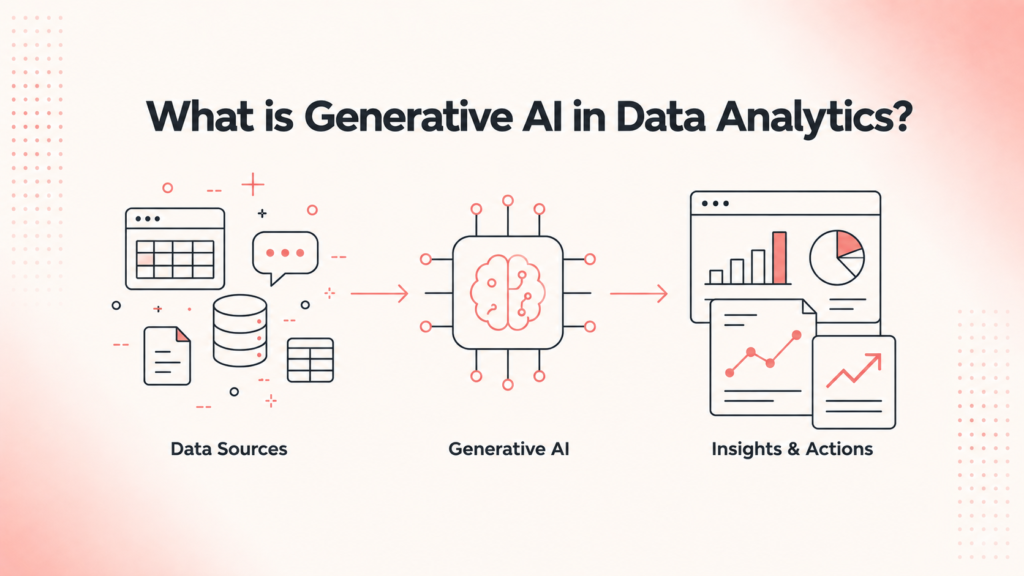
Generative AI in Data Analytics refers to AI models that can understand plain human language, write code, summarize large amounts of information, and help with tricky analytical tasks all without needing the user to be a technical expert.
When these models are connected to analytics platforms, Generative AI in Data Analytics lets everyday employees:
- Analyze structured and unstructured data
- Generate reports automatically
- Explain trends in simple language
- Turn plain questions into SQL queries
- Forecast what might happen next
- Spot anomalies before they become problems
- Get recommended next steps
- Build dashboards in minutes, not days
Some of the well-known tools bringing Generative AI in Data Analytics to life include ChatGPT, Microsoft Copilot, Google Gemini, Claude AI, Power BI Copilot, Tableau AI, Snowflake Cortex AI, Databricks AI, AWS QuickSight Q, and Google Looker AI.
Why Businesses Are Adopting Generative AI in Data Analytics
Think of a company leader who used to wait days for a report and now gets an answer before their coffee gets cold. That’s the real pull behind Generative AI in Data Analytics. Businesses are adopting it because it helps them:
- Cut down manual reporting time
- Make faster, more confident decisions
- Boost analyst productivity
- Get instant insights instead of waiting
- Improve forecasting accuracy
- Open up self-service analytics for non-technical staff
- Lower operational costs
- Make data genuinely accessible to everyone, not just data teams
Instead of scrolling through five dashboards, a business leader can simply ask a question in natural language and get a straightforward answer. That’s the everyday magic of Generative AI in Data Analytics.
Top Use Cases of Generative AI in Data Analytics
1. Natural Language Querying
This is where Generative AI in Data Analytics shines the brightest. Instead of writing SQL, a user can simply ask: “What were our best-selling products last quarter?” or “Show sales growth by region.” The AI converts the question into a query and returns a clear visual answer. No SQL knowledge needed, and insights arrive much faster.
2. Automated Data Cleaning
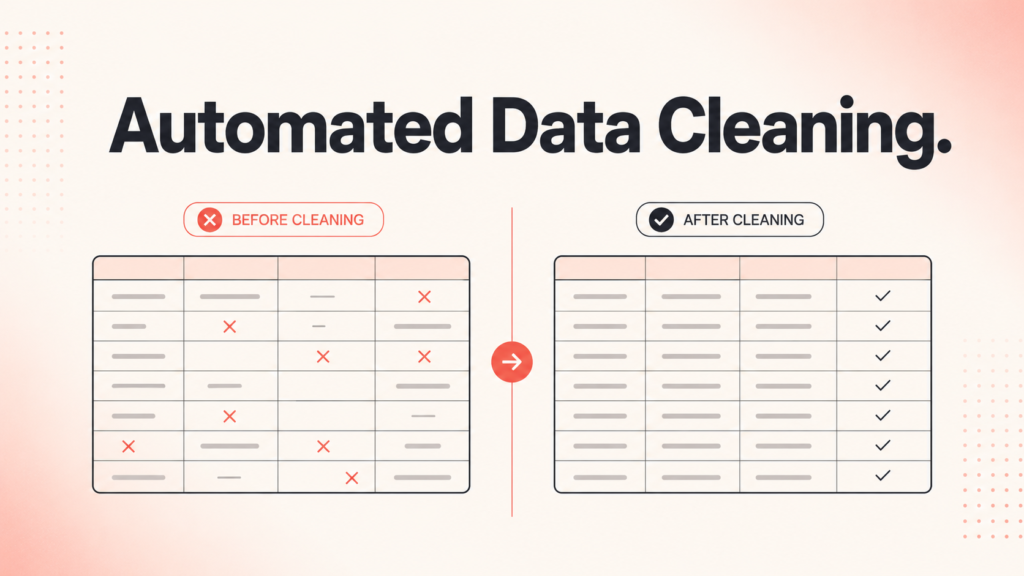
Messy data is one of the biggest headaches in analytics missing values, duplicate records, wrong formats, and inconsistent naming. This technology can spot these issues automatically and suggest exactly how to fix them, saving hours of manual cleanup.
3. Automated Report Generation
Weekly and monthly reports eat up huge chunks of an analyst’s time. With AI-powered analytics, executive summaries, KPI reports, sales reports, and marketing dashboards can be generated automatically complete with plain-language explanations like, “Sales grew 18% in Q2, mainly due to stronger demand in the South region.”
4. SQL Query Generation
Not everyone knows how to write SQL, and that’s fine. A user can simply describe what they want “Show customers who purchased more than five times in the last six months” and the AI writes the optimized query in the background.
5. Predictive Analytics
By studying historical patterns, Generative AI in Data Analytics helps forecast sales, revenue, customer churn, inventory needs, website traffic, and marketing performance giving businesses a real head start on planning.
6. Customer Segmentation
Every customer is different, and this kind of AI helps group them meaningfully high-value customers, loyal buyers, churn-risk customers, new customers, seasonal shoppers, and discount-sensitive buyers making marketing far more personal.
7. Marketing Campaign Analysis
Marketing teams juggle data from Google Ads, Meta Ads, LinkedIn, email, SEO, and social media all at once. AI-powered analytics pulls it all together and recommends budget allocation, audience tweaks, and creative improvements.
8. Dashboard Creation
Building a dashboard used to take a skilled analyst hours. Now, someone can simply type “Create a sales dashboard” or “Compare regional performance,” and Generative AI in Data Analytics builds the charts and KPIs automatically.
9. Fraud Detection
Banks and e-commerce companies rely on this technology to catch unusual transactions, payment fraud, and fake accounts in real time, enabling a much faster response to risk.
10. Business Decision Support
Executives often just want answers: “Why did revenue drop?” or “What should we improve next month?” AI-powered analytics can summarize the “why” behind the numbers and even suggest what to do about it.
11. Automated Data Documentation
Good governance needs good documentation, and that’s usually the first thing teams skip. Generative AI in Data Analytics can auto-generate data dictionaries, metadata descriptions, and lineage documentation, making onboarding much smoother.
12. Code Generation for Analytics
From Python scripts to Spark code to visualization scripts, this technology speeds up the technical side of analytics work too, cutting down on repetitive coding.
The Role of RAG in Generative AI Data Analytics
Here’s a piece that often gets left out of the conversation: Retrieval-Augmented Generation, or RAG. Plain generative models are smart, but they only know what they were trained on they don’t automatically know your company’s latest sales numbers or last week’s customer complaints. RAG solves this by letting the AI “look up” real, current information from your own databases, documents, or dashboards before it answers.
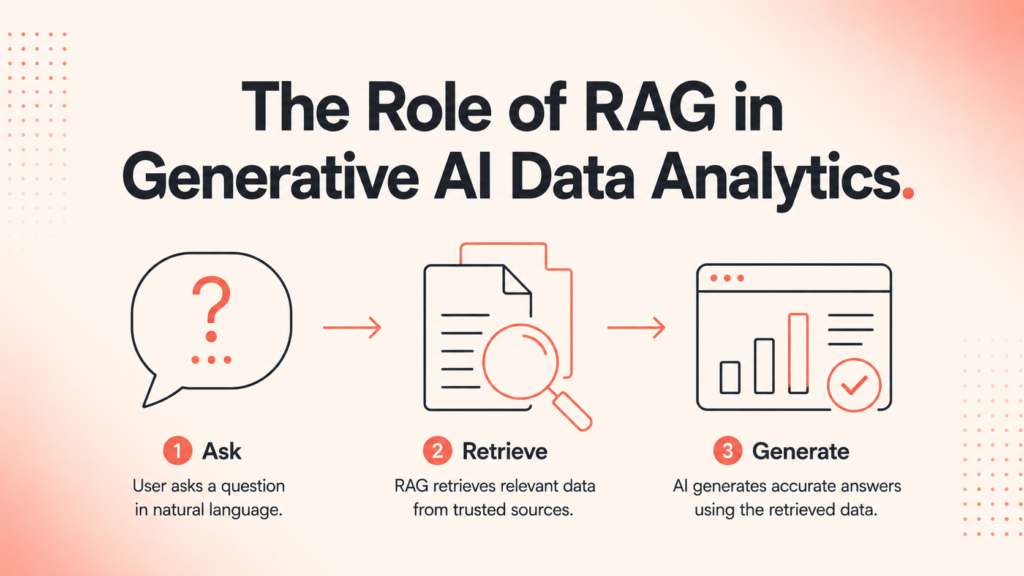
In practice, this means Generative AI in Data Analytics powered by RAG can pull the exact, up-to-date figures from your systems rather than guessing based on old training data. Ask “What was our refund rate last month?” and instead of a generic answer, the AI retrieves your actual refund records and responds with real numbers. This is a big reason RAG is becoming a core building block for trustworthy, business-ready Generative AI in Data Analytics tools it keeps answers grounded in facts, not assumptions.
Benefits of Generative AI in Data Analytics
Companies that adopt this approach tend to notice the same wins again and again:
- Faster report generation
- Reduced manual work
- Improved data quality
- Better forecasting accuracy
- Sharper decision-making
- Higher employee productivity
- Increased operational efficiency
- Data access for everyone, not just technical teams
- Lower reporting costs
- Deeper customer insights
Best Practices for Adopting Generative AI in Data Analytics
- Start small: Pick one repetitive task (like weekly reporting) before rolling it out everywhere.
- Keep humans in the loop: Let analysts review AI-generated insights before big decisions are made.
- Clean your data first: Even the best AI struggles with messy inputs.
- Train your team: Teach staff how to ask good questions the better the question, the better the answer.
- Protect sensitive data: Set clear rules on what data the AI can access, especially customer information.
- Use RAG for accuracy: When real, current company data matters, make sure your setup uses retrieval, not just a generic model.
Final Thoughts
Generative AI in Data Analytics isn’t about replacing the people who understand your business best it’s about giving them superpowers. The reports that used to take a full day now take minutes. The questions that used to need a specialist can now be asked by anyone on the team, in plain language. As more businesses adopt Generative AI in Data Analytics, the ones who treat it as a helpful assistant not a shortcut around good data practices will be the ones who really pull ahead.
If you’re ready to move from reading about this shift to actually building these skills, SkillMove’s Generative AI course is designed to take you there. You’ll learn how to work hands-on with the same tools and techniques covered in this blog natural language querying, automated reporting, RAG-powered insights, and more with placement support to help you turn that skill into a career. Join SkillMove’s Generative AI course today and start building the skills modern businesses are actively hiring for.
Frequently Asked Questions
Everything you need to know about Generative AI in Data Analytics.
1. What is Generative AI in Data Analytics?
Generative AI in Data Analytics uses AI models that understand natural language to analyze data, generate reports, write SQL queries, identify trends, and provide insights—making analytics faster and easier for everyone.
2. Does Generative AI replace data analysts?
No. It supports analysts by automating repetitive tasks such as querying databases, summarizing reports, and creating dashboards, allowing them to focus on strategic decision-making.
3. What tools use Generative AI for analytics?
Popular tools include ChatGPT, Microsoft Copilot, Google Gemini, Claude AI, Power BI Copilot, Tableau AI, Snowflake Cortex AI, and Databricks AI.
4. Do I need to know SQL to use Generative AI in Data Analytics?
No. Most AI-powered analytics platforms let you ask questions in plain English and automatically generate SQL queries behind the scenes.
5. What is RAG, and why does it matter for analytics?
Retrieval-Augmented Generation (RAG) enables AI to retrieve real-time information from your business databases before generating responses, resulting in more accurate and trustworthy insights.
6. Can small businesses use Generative AI in Data Analytics?
Yes. Many AI analytics tools are affordable, cloud-based, and easy to implement, making them suitable for businesses of all sizes.
7. Is Generative AI in Data Analytics safe for sensitive data?
Yes, when organizations implement proper security measures such as role-based access control, encryption, and strong data governance policies.
8. How does Generative AI help with forecasting?
By analyzing historical data and identifying patterns, Generative AI can forecast future sales, customer behavior, inventory demand, and business performance.
9. What industries benefit most from Generative AI in Data Analytics?
Industries including retail, healthcare, finance, manufacturing, e-commerce, logistics, and marketing are already using AI-powered analytics to improve decision-making.
10. How can a business start adopting Generative AI in Data Analytics?
Begin with a simple use case such as automated reporting, ensure your data is clean and organized, and validate AI-generated insights before expanding to more advanced applications.
11. Will Generative AI in Data Analytics keep improving?
Absolutely. As AI models become more context-aware and integrate better with enterprise data using technologies like RAG, their accuracy, reliability, and business value will continue to grow.
Explore Core Technical Training Programs